

Free to learn. Free to run. Free to keep.
TL;DR
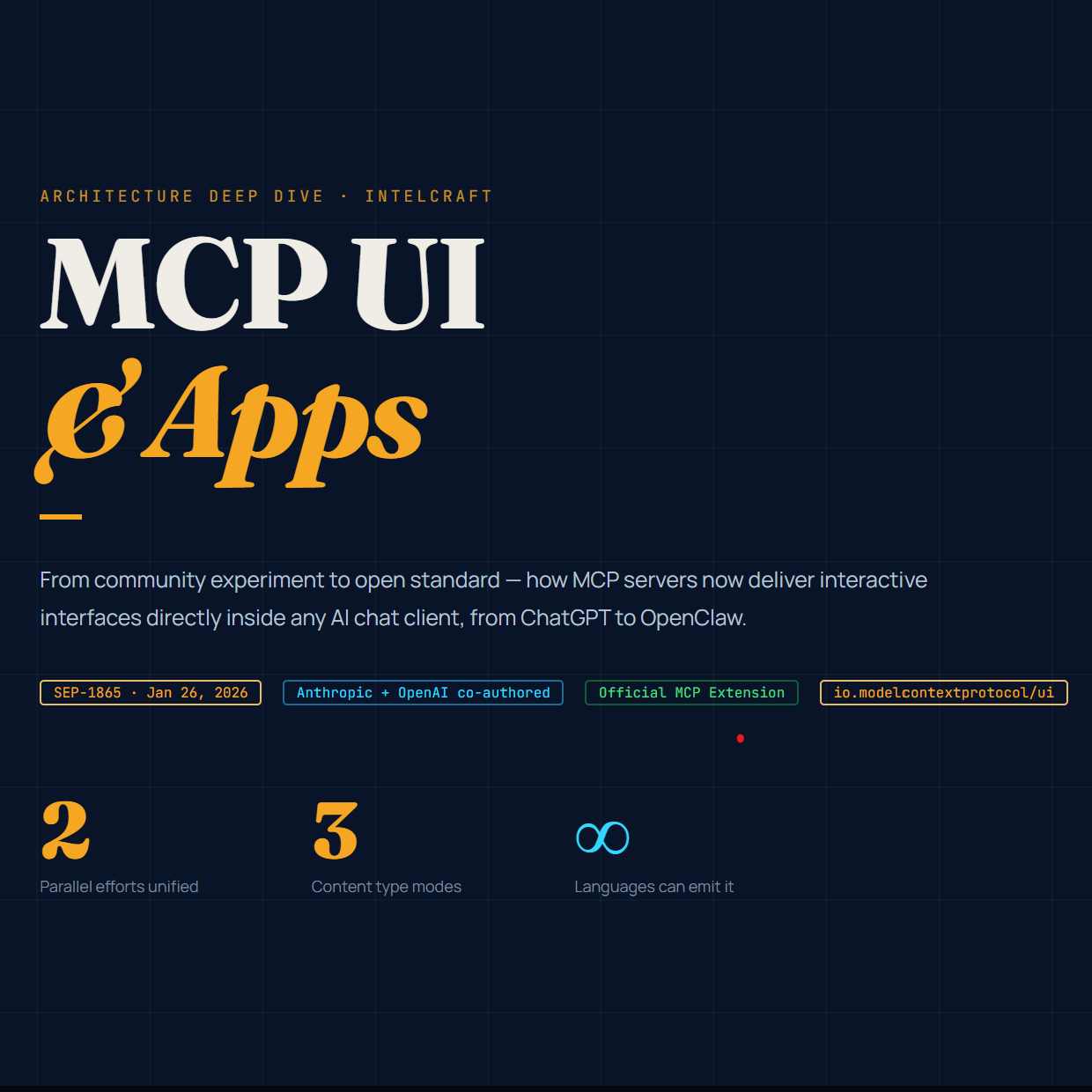
- MCP UI is no longer experimental — it’s official. The community mcp-ui project (created by Ido Salomon and Liad Yosef) was the proving ground; as of January 26, 2026 its patterns became the first official MCP extension, MCP Apps (SEP-1865), co-authored by Anthropic and OpenAI. It lets an MCP server return interactive HTML UIs that render inline in any compliant chat client via sandboxed iframes and JSON-RPC-over-postMessage.
- It works across both hosted gatekeepers and self-hosted clients. ChatGPT (OpenAI Apps SDK), Claude, VS Code Copilot, and Block’s Goose all render it; in the open ecosystem LibreChat already renders legacy mcp-ui resources, OpenClaw and others speak MCP. The difference that matters: in hosted clients the platform controls rendering, review, and distribution; self-hosted, you own the renderer, the sandbox policy, and the distribution.
- You can emit MCP UI from any language today — and there are real, open-source examples to copy. Official server+client SDKs exist for TypeScript, plus mcp-ui community server SDKs for Python and Ruby; the official modelcontextprotocol/ext-apps repo ships ~20 ready-to-run example servers (maps, dashboards, 3D, PDF viewers) across React, Vue, Svelte, Preact, Solid, and vanilla JS. Where no first-party mcp-ui SDK exists (Go, Java, C#, Rust), the resource is just structured JSON — a ui:// URI with a text/html;profile=mcp-app mimeType — so any MCP SDK can emit it by hand. We show how, and point you at the best repos to study, below.
Key Findings
- MCP Apps (SEP-1865) is the standardized successor to mcp-ui and the OpenAI Apps SDK. Proposed November 21, 2025 and shipped as the first official MCP extension on January 26, 2026, it unifies two parallel efforts — the community mcp-ui project and OpenAI’s Apps SDK — into one open spec under the identifier io.modelcontextprotocol/ui.
- The mechanism is deliberately minimal. A tool declares a UI resource via _meta.ui.resourceUri pointing at a ui:// resource; the host fetches it, renders it in a sandboxed iframe, and brokers bidirectional communication over JSON-RPC via postMessage. The MVP content type is text/html;profile=mcp-app.
- The hosted ecosystem is a gatekept distribution channel. ChatGPT Apps (built on MCP) reach 800 million weekly active users but require app review, have geographic restrictions, and limited monetization. Claude renders MCP Apps with nine launch partners. You trade control for reach.
- The self-hosted ecosystem gives you the renderer. LibreChat ships inline rendering of legacy mcp-ui resources; Goose is the MCP reference client and an early adopter; OpenClaw, Open WebUI, Cherry Studio, and others speak MCP with varying UI support. You own everything.
- The SDK story is uneven but workable everywhere. Official MCP SDKs span seven-plus languages. mcp-ui ships TS/Python/Ruby server helpers. For everything else, the payload is plain JSON you construct manually — and FastMCP (Python) now wires MCP Apps natively.
- There is now a rich library of open-source examples to learn from. The official ext-apps repo, OpenAI’s openai-apps-sdk-examples, FastMCP’s Prefab demos, Shopify’s storefront work, and a growing crop of community servers (seat-pickers, weather widgets, storefronts) give architects real, runnable reference code organized by pattern.
What MCP Is (the 90-second foundation)
The Model Context Protocol (MCP) is an open standard, originally created at Anthropic by David Soria Parra and Justin Spahr-Summers and open-sourced on November 25, 2024 (spec version 2024-11-05), for connecting AI models to external tools, data, and prompts through one interface. The pitch is “USB-C for AI”: instead of writing a bespoke integration for every model-to-tool pair, you implement MCP once and any compliant client can connect. Stewardship is now broadly open — the protocol and Block’s Goose client were donated to the Agentic AI Foundation (AAIF) in November 2025, with contributions from Anthropic, Google, JetBrains, Microsoft, and the Spring team.
An MCP server exposes three primitives: tools (callable functions), resources (readable data, addressed by URI), and prompts (reusable templates). A host (the chat client) connects via a transport — stdio for local processes, Streamable HTTP for remote — and the LLM decides when to call tools. Until recently, tool results could only be text, images, or structured data. That’s the gap MCP UI fills.
What MCP UI / mcp-ui Actually Is
Chat is a terrible interface for some tasks. Reviewing a multi-row budget variance, approving infrastructure changes with dependent fields, picking a seat on a plane, browsing a product catalog — these are spatial, visual, or form-driven, and forcing them through linear text exchanges (“show me row 47,” “now sort by revenue,” “filter to last week”) is slow and lossy.
mcp-ui was the community project that solved this first. Created by Ido Salomon and Liad Yosef and incubated through the MCP UI Community Working Group (the #ui-wg channel), it extended MCP’s existing embedded-resources spec with a new UIResource interface. Crucially, it was not a protocol overhaul — it rode on top of resources MCP already had.
A UIResource is a resource with a ui:// URI and one of three content types:
- rawHtml (text/html) — an inline HTML string, rendered via srcDoc in a sandboxed iframe. Self-contained components.
- externalUrl (text/uri-list) — a URL loaded into a sandboxed iframe. Full external apps.
- remoteDom (application/vnd.mcp-ui.remote-dom) — a JavaScript script using Shopify’s Remote DOM, rendered through the host’s own component library so it matches the host’s look and feel (React or Web Components).
Components don’t mutate state directly. They emit intents — tool, prompt, link, intent, notify — via window.parent.postMessage, and the host interprets them. This preserves agent control: a click on “Add to Cart” bubbles up an intent the agent mediates, rather than the iframe reaching directly into application state.
mcp-ui got real adoption fast: Shopify built a Storefront MCP UI server prototype, and Postman, Hugging Face, ElevenLabs, and Goose adopted the approach. Block’s Goose was the first client to render it.
From mcp-ui to MCP Apps (SEP-1865): the standardization
Two parallel UI efforts risked fragmenting the ecosystem: the community mcp-ui project and OpenAI’s Apps SDK (announced at DevDay, October 6, 2025). Rather than diverge, Anthropic, OpenAI, and the mcp-ui maintainers co-authored SEP-1865: MCP Apps, proposed November 21, 2025 and authored by MCP Core Maintainers at OpenAI (Nick Cooper, Alexi Christakis, Bryan Ashley) and Anthropic (Sean Strong, Jerome Swannack), together with mcp-ui’s Ido Salomon and Liad Yosef and maintainers Anton Pidkuiko and Olivier Chafik.
On January 26, 2026, MCP Apps went live as the first official MCP extension. Its design choices, straight from the spec:
- UI is a pre-declared resource, not an inline tool result. Templates live at ui:// URIs and are referenced from a tool’s metadata via _meta.ui.resourceUri. This lets hosts prefetch, cache, and security-review the HTML before any tool runs, and separates static presentation from dynamic data.
- The MVP content type is text/html;profile=mcp-app. External URLs, remote DOM, and native widgets were explicitly deferred to keep the MVP lean (later iterations add an externalIframes capability).
- Communication reuses MCP’s JSON-RPC base protocol over postMessage — not a custom message format. UI-initiated requests use a ui/ method prefix; some reuse core methods like tools/call. This means UI-to-host actions go through the same auditable, loggable, consent-gated path as a direct tool call.
- It’s an opt-in extension, negotiated in the handshake via extensions: { “io.modelcontextprotocol/ui”: {…} }. Servers must provide text-only fallback so they work on hosts that don’t support UI. UI is progressive enhancement, never a requirement.
The official package is @modelcontextprotocol/ext-apps, with a reference host (basic-host), an AppBridge module, and examples in React, Vue, Svelte, Preact, Solid, and vanilla JS. Critically: the @mcp-ui/* packages now implement the MCP Apps standard. mcp-ui didn’t get deprecated — it became the recommended client SDK for MCP Apps hosts, and existing mcp-ui users have a straightforward migration path.
As of mid-2026, named adopters include Anthropic (Claude, Claude Desktop), OpenAI (ChatGPT), Microsoft (VS Code Copilot), Goose, Postman, MCPJam, and Archestra.AI, with servers from Shopify, Hugging Face, and ElevenLabs. The broader MCP spec release candidate dated July 28, 2026 formalizes the Extensions framework that MCP Apps ships under.
A note on terminology. “mcp-ui” (lowercase, hyphenated) is the original community project and its SDKs. “MCP Apps” is the official spec extension (SEP-1865). In practice people use “MCP UI” loosely to mean both. When precision matters in this post, I’ll say mcp-ui (the project/legacy embedded-resource pattern) versus MCP Apps (the official extension with _meta.ui.resourceUri and text/html;profile=mcp-app).
How It Fits the Hosted Ecosystem (ChatGPT and Claude)
OpenAI Apps SDK / Apps in ChatGPT
At DevDay (October 6, 2025), OpenAI launched the Apps SDK — built on MCP — letting developers ship interactive apps that render inside ChatGPT. (For scale context, Sam Altman said at the same event that “more than 800 million people use ChatGPT every week.”) If you already run an MCP server, you “upgrade” it by adding a resource that returns an HTML template; ChatGPT renders it across web, mobile, and desktop. Apps surface when @-mentioned by name (“Spotify, make a playlist…”) or suggested contextually (Zillow listings on an interactive map). Per OpenAI’s launch post, the pilot partners — “Booking.com, Canva, Coursera, Figma, Expedia, Spotify and Zillow” — “are also available today in markets where their services are offered starting in English.”
The gatekeeper dynamics are explicit:
- Reach is the carrot: 800 million weekly active ChatGPT users.
- Review is the gate: developers submit apps via the OpenAI Developer Platform; submissions include MCP connectivity details, test credentials, screenshots, and country availability. OpenAI’s review team must be able to connect to your MCP server with a demo account and no MFA. Apps that meet quality/safety standards get listed; the best get featured.
- Geography is restricted: per OpenAI’s launch post, “Apps will be available today to all logged-in ChatGPT users outside of the European Economic Area, Switzerland, and the United Kingdom on Free, Go, Plus and Pro plans.” And per the Apps SDK submission docs, “projects with EU data residency cannot submit apps for review.”
- Monetization is nascent: today the recommended path is external checkout — link out to your own domain. In-app checkout via the Agentic Commerce Protocol and the ChatGPT payment sheet is in beta for select marketplace partners. Current approval is limited to physical-goods purchases.
OpenAI made the Apps SDK open source “so that apps built with it can run anywhere that adopts this standard,” and signaled it intends to publish an open implementation of the host environment — a meaningful nod toward portability beyond ChatGPT.
Claude
Anthropic launched MCP Apps support in Claude on January 26, 2026 — the same day the extension went official — with nine launch partners: Amplitude, Asana, Box, Canva, Clay, Figma, Hex, monday.com, and Slack, with Salesforce (Agentforce 360) coming soon. Inside Claude, an Amplitude integration renders an actual interactive chart you hover and adjust; a Slack integration shows a message composer you edit and send. Anthropic’s Sean Strong framed MCP Apps as “an extension to the core MCP protocol and… part of the open source MCP ecosystem,” and noted that within Claude.ai connectors require a paid plan (Pro, Max, Team, or Enterprise).
Don’t confuse MCP Apps with Claude Artifacts. Artifacts are Claude-generated interactive content (React components, HTML, Mermaid diagrams) rendered in a side panel; since October 21, 2025 they support MCP connections and persistent storage, and “Live Artifacts” (launched April 20, 2026, in Claude Cowork) are persistent dashboards that refresh from MCP-connected apps. The distinction: Artifacts are content the model authors; MCP Apps are UIs a third-party server ships. Both render in Claude; only MCP Apps is the portable cross-client standard.
The platform/gatekeeper dynamic
The hosted model is a classic platform play. The host controls rendering fidelity, the review process, the directory and discovery, the geographic availability, and ultimately whether your app stays published. That’s the inversion analysts noted at DevDay: the model used to be the backend you called; now the chat client is the OS and your app is the pluggable component. For reach, it’s unbeatable. For control and vendor independence, it’s the opposite of what we advocate.
How It Fits the Self-Hosted / Open Client Ecosystem
This is where “free to run, free to keep” lives. In a self-hosted client, you decide the renderer, the sandbox CSP, and the distribution — no review queue, no geographic lockout, no platform that can deprecate you.
LibreChat
LibreChat is the leading enterprise-focused open-source ChatGPT alternative, and it was among the first platforms to fully implement MCP server support (stdio, SSE, Streamable HTTP, multi-user isolation, OAuth, per-user credential vars). On the UI question, here’s the precise, current state — which matters because sources conflict:
- Shipped (legacy mcp-ui): LibreChat renders inline mcp-ui UIResource payloads (HTML iframes from MCP tool outputs). This landed in the v0.8.0 release line — the v0.8.0-rc4 changelog (dated September 12, 2025) lists “🎨 MCP UI integration by @samuelpath in #9299, #9418, #9581” — and has been deepened since (v0.8.2-rc1: “feat: Deeper MCP UI integration in the Chat UI”). It was tested against canonical mcp-ui demo servers (the storefront and airplane-seat widgets). This is why the mcp-ui README lists LibreChat as a supported host. The rendered UI currently appears inside the tool-call panel.
- Requested / roadmapped (official MCP Apps): support for the new MCP Apps extension (SEP-1865 — the apps handshake capability, _meta.ui.resourceUri, text/html;profile=mcp-app) is an open enhancement request (issue #10641, opened November 24, 2025) with an open, unmerged PR (#11799), listed on LibreChat’s February 18, 2026 roadmap as a Q1–Q2 item. LibreChat was acquired by ClickHouse in 2025.
So: if you ship legacy mcp-ui resources, LibreChat renders them today (stable since roughly late September 2025); if you target the official MCP Apps _meta.ui.resourceUri flow specifically, that’s in progress.
LibreChat also has a separate, mature Artifacts capability (React/HTML/Mermaid, rendered with CodeSandbox’s Sandpack library) — model-generated, distinct from MCP-server-shipped UI.
Goose (Block)
Goose is the reference implementation for MCP and an early mcp-ui adopter. Block donated Goose to the AAIF alongside Anthropic’s donation of MCP. Goose’s posture, per the team: “Any new stuff that comes out in the spec — you should be able to try it out in Goose.” It shipped MCP Apps draft support in v1.19.0 (early January 2026) and was a named launch client on January 26. Architecturally, Goose Desktop renders MCP Apps (mimeType text/html;profile=mcp-app, ui:// URIs) in sandboxed iframes routed through a secure sandbox proxy with CSP and Permission-Policy enforcement and nonce-based guest loading; for simpler resources it uses an MCPUIResourceRenderer supporting ui/action/prompt and ui/action/link with protocol-safe link validation. If you’re building MCP UI, Goose is the best open reference host to test against.
OpenClaw
OpenClaw (the viral open-source personal AI assistant by Peter Steinberger — formerly Clawdbot/Moltbot — that crossed 100,000 GitHub stars within its first week in late January 2026) is a self-hosted, model-agnostic Node.js gateway that routes between 20+ messaging channels (WhatsApp, Telegram, Discord, Signal, iMessage…) and your chosen LLM. It added native MCP client support (remote MCP via Streamable HTTP) in v2026.3.13, and can also expose itself as an MCP server via openclaw mcp serve. Its primary surface is messaging channels, not a rich web canvas, so its relationship to MCP UI is pragmatic: it materializes MCP tool-result content (coercing non-text/image blocks) for delivery over chat transports rather than rendering sandboxed interactive iframes the way a web host does. For interactive HTML, OpenClaw’s Control UI / Canvas surfaces are the relevant target. The architectural point stands: it’s MIT-licensed, runs on your hardware, and your context and skills live on your machine.
Others worth knowing
- Open WebUI — self-hosted, Python-extensible, MCP server support; strong for local/Ollama stacks and multi-user web deployments.
- Cherry Studio — cross-platform desktop client, 40k+ stars, first-class MCP with pre-wired connectors; mixes local and cloud models. Renders Mermaid/Markdown; MCP-server interactive-UI rendering is not its headline feature.
- LobeChat — open-source chat platform with a plugin ecosystem and MCP support.
- Postman / MCPJam / MCP Inspector — tooling. Postman renders MCP UI and can replace the basic inspector for debugging; MCPJam is a strong apps-capable inspector (the stock MCP Inspector did not support apps at last check). Nanobot is also notable for excellent mcp-ui support.
The through-line: in every one of these, the sandbox policy, the renderer, and the distribution are yours. That’s the whole thesis.
The SDK Landscape — and How to Ship MCP UI in Any Language
This is the section that matters most if you’re building. Two layers: the official MCP SDK (does the protocol plumbing) and the mcp-ui helper (builds the UIResource payload). You need the first; the second is convenience.
Official MCP SDKs (mid-2026)
The ecosystem now spans seven-plus languages, maintained under the AAIF with partner collaboration:
| Language | Package / status | Maintainer collaboration |
| TypeScript | @modelcontextprotocol/sdk — Tier 1, most complete | Core |
| Python | mcp (official); FastMCP powers a large share of servers | Core |
| C# / .NET | ModelContextProtocol NuGet — reached v1.0 | Microsoft |
| Java | official Java SDK | Spring AI |
| Kotlin | official Kotlin SDK | JetBrains |
| Go | github.com/modelcontextprotocol/go-sdk | |
| Rust | rmcp | community/official |
| Ruby, Swift, PHP | official SDKs exist | community |
A v2 of the Python and TypeScript SDKs is in development alongside the updated spec slated for July 28, 2026.
mcp-ui helper SDK availability
The mcp-ui project ships these server/client helpers:
- @mcp-ui/server (TypeScript) — createUIResource. Works with registerAppTool/registerAppResource from @modelcontextprotocol/ext-apps/server.
- @mcp-ui/client (TypeScript) — AppRenderer (MCP Apps) and UIResourceRenderer (legacy hosts), as React components and a Web Component (<ui-resource-renderer>).
- mcp_ui_server (Ruby gem) — McpUiServer.create_ui_resource.
- mcp-ui-server / mcp-ui (Python on PyPI) — create_ui_resource, with typed helpers and action builders.
There is no first-party mcp-ui helper for C#, Java, Go, or Rust. That’s fine, because of the key insight below.
The insight that unlocks every language: it’s just JSON
A UIResource is not magic. It is a structured resource payload:
jsonc
{
“type”: “resource”,
“resource”: {
“uri”: “ui://my-server/widget”, // ui:// scheme
“mimeType”: “text/html;profile=mcp-app”, // MCP Apps; or “text/html” for legacy mcp-ui
“text”: “<h1>Hello from any language</h1>” // or “blob”: “<base64>”
}
}
For the MCP Apps flow, you also (1) register that resource so the host can read it by URI, and (2) attach _meta.ui.resourceUri to the tool that should trigger it. Any MCP SDK that lets you register resources and attach _meta to a tool — which is all of them — can do this by hand. The mcp-ui SDKs just save you a few lines of validation and base64 encoding.
Let me show the canonical TypeScript path, then the Python path with a real helper, then sketches for the languages without a helper.
TypeScript (official mcp-ui + ext-apps)
ts
import { McpServer } from ‘@modelcontextprotocol/sdk/server/mcp.js’;
import { registerAppTool, registerAppResource } from ‘@modelcontextprotocol/ext-apps/server’;
import { createUIResource } from ‘@mcp-ui/server’;
import { z } from ‘zod’;
const server = new McpServer({ name: ‘my-server’, version: ‘1.0.0’ });
// 1. Build the UI resource
const widgetUI = await createUIResource({
uri: ‘ui://my-server/widget’,
content: { type: ‘rawHtml’, htmlString: ‘<h1>Interactive Widget</h1>’ },
encoding: ‘text’,
});
// 2. Register the resource so the host can fetch it by URI
registerAppResource(server, ‘widget_ui’, widgetUI.resource.uri, {},
async () => ({ contents: [widgetUI.resource] }));
// 3. Register a tool that links to the UI via _meta
registerAppTool(server, ‘show_widget’, {
description: ‘Show widget’,
inputSchema: { query: z.string() },
_meta: { ui: { resourceUri: widgetUI.resource.uri } }, // tool → UI
}, async ({ query }) => ({ content: [{ type: ‘text’, text: `Query: ${query}` }] }));
The host detects _meta.ui.resourceUri, fetches the resource via resources/read, and renders it with AppRenderer. To make the UI talk back, the HTML imports @modelcontextprotocol/ext-apps (const app = new App(); await app.connect();) and calls app.callServerTool(…), app.sendMessage(…), or app.updateModelContext(…) — all over JSON-RPC/postMessage.
Python (FastMCP, the path most teams will use)
FastMCP — which per its maintainers is “downloaded a million times a day, and some version of FastMCP powers 70% of MCP servers across all languages” — added native MCP Apps support in v3.2 (and protocol-level support landed in the 3.0 beta line). The simplest path returns a UI resource directly:
python
from mcp.server.fastmcp import FastMCP
from mcp_ui_server import create_ui_resource
from mcp_ui_server.core import UIResource
mcp = FastMCP(“my-server”)
@mcp.tool()
def show_dashboard() -> list[UIResource]:
“””Display an analytics dashboard.”””
ui = create_ui_resource({
“uri”: “ui://dashboard/analytics”,
“content”: {“type”: “externalUrl”,
“iframeUrl”: “https://my.analytics.com/dashboard”},
“encoding”: “text”,
})
return [ui]
if __name__ == “__main__”:
mcp.run(transport=”streamable-http”)
For richer, component-based UIs without standing up a React codebase, FastMCP 3.2 wires in Prefab (a composable Python UI framework) and providers like FileUpload and FormInput, plus a GenerativeUI provider that streams an LLM-composed interface to the renderer — and a tool can check ctx.client_supports_extension() to serve rich UI to app-capable clients and fall back to text otherwise. This is the single most ergonomic non-TypeScript path today.
Go — construct the resource by hand (or use a community shim)
The official Go SDK (github.com/modelcontextprotocol/go-sdk, with Google) and the widely used community mark3labs/mcp-go both let you return embedded resources and attach _meta. Notably, mcp-go’s BlobResourceContents carries a _meta field with a comment explicitly noting it “Allows _meta to be used for MCP-UI features.” So you emit the resource shape directly:
go
// Pseudocode shape using mcp-go types
res := mcp.NewEmbeddedResource(mcp.TextResourceContents{
URI: “ui://my-server/widget”,
MIMEType: “text/html;profile=mcp-app”,
Text: “<h1>Hello from Go</h1>”,
})
// Return res in your tool result; attach _meta.ui.resourceUri on the tool
// definition so MCP Apps hosts link the tool to the UI.
There’s also a community Go helper, github.com/ironystock/mcpui-go, providing NewUIResourceContents, HTMLContent/RemoteDOMContent types, and a Router for handling inbound UI actions (ActionTypeTool, ActionTypePrompt, etc.) — the equivalent of @mcp-ui/server for Go.
Java (Spring AI), C# (.NET), Rust (rmcp) — same pattern
None of these has a first-party mcp-ui helper, so the recipe is identical: register a resource at a ui:// URI with mimeType text/html;profile=mcp-app (or text/html for legacy hosts), put your HTML in the text (or base64 blob) field, and link it from the tool via _meta.ui.resourceUri.
- C# (ModelContextProtocol NuGet, Microsoft): the SDK reached v1.0 with full 2025-11-25 spec support, attribute-based tool registration ([McpServerTool]), resource registration, and _meta pass-through. Build a small helper that returns an EmbeddedResource with the ui:// URI and the mcp-app mimeType.
- Java (Spring AI MCP): register the UI resource and reference it from the tool’s metadata; Spring AI’s resource/tool abstractions carry the fields you need.
- Rust (rmcp): ServerHandler with read_resource returning ResourceContents::text(…) at a ui:// URI; attach UI metadata on the tool. (A developer at Apollo shipped experimental MCP Apps support to the Apollo MCP Server — written in Rust — using exactly this approach, then debugged it against Goose.)
The rule of thumb: if your SDK can register a resource and attach _meta to a tool, it can ship MCP UI. A first-party helper saves you maybe twenty lines of validation and encoding — worth wrapping once in a small internal module so the rest of your team just calls create_ui_resource(…) in your language of choice.
Open-Source Examples Worth Studying
Reading the spec gets you the mechanism; reading working code gets you the patterns. The good news in mid-2026 is that there is now a genuinely deep bench of open-source MCP UI / MCP Apps examples — from the official reference repos down to weekend community demos. Below I’ve organized the ones I’d actually point an architect or engineer at, grouped by what they teach. Every repo here is real and was reachable as of this writing; I’ve noted the language, the UI pattern (rawHtml / externalUrl / remoteDom / MCP Apps text/html;profile=mcp-app), and the license where notable. Treat this as a reading list, not an endorsement — vet anything you connect.
Official reference examples (start here)
modelcontextprotocol/ext-apps — the official spec, SDK, and example gallery (github.com/modelcontextprotocol/ext-apps, TypeScript + Python, MIT). This is the canonical repo and the single best place to learn the official MCP Apps pattern (_meta.ui.resourceUri, the text/html;profile=mcp-app MIME type, JSON-RPC-over-postMessage). It ships ~20 ready-to-run example servers under examples/, every Node example published to npm as @modelcontextprotocol/server-<name>, plus the basic-host reference host you can render them in (npm install && npm start, then open localhost:8080). The examples that earn their keep:
- basic-server-react / -vue / -svelte / -preact / -solid / -vanillajs — the same “get-time” app built six ways. If you want to know “how do I do MCP Apps in my framework?”, this is the answer. All six bundle to a single HTML file via vite-plugin-singlefile so the whole UI ships as one MCP resource — a pattern worth copying.
- map-server — an interactive CesiumJS 3D globe with OpenStreetMap geocoding (no API key, no Cesium Ion token), loading CesiumJS from a CDN at runtime. Teaches CDN loading under CSP and the show-map (app) vs geocode (plain tool) split. GitHubGitHub
- system-monitor-server — per-core CPU stacked-area chart, a color-coded memory gauge, and 2-second auto-polling. The cleanest demonstration of the app-only tool pattern (_meta.ui.visibility: [“app”]) — a polling tool the UI calls every tick but that’s hidden from the model’s tool list so it doesn’t pollute reasoning. GitHubModelcontextprotocol
- wiki-explorer-server — a force-directed graph of Wikipedia links where clicking a node expands it; great for learning UI→server→UI round-trips on live data. GitHub
- pdf-server — a PDF.js viewer that persists the current page in localStorage keyed by a stable view ID, and streams the file in chunks via HTTP Range requests. The reference for view-state persistence across conversation reloads. GitHubGitHub
- transcript-server — shows the updateModelContext + sendMessage pattern: offload a long transcript into model context, then fire a brief trigger prompt. The right way to feed a UI’s bulk data back to the model without blowing the context window. Modelcontextprotocol
- shadertoy-server (real-time GLSL shaders via WebGL 2.0) and threejs-server (stream JS to build/animate Three.js scenes) — the fullscreen/displayMode and streaming-preview patterns. GitHubGitHub
- budget-allocator-server (interactive sliders driving a Chart.js donut, with 24-month sparkline trends) and cohort-heatmap-server (a color-coded retention heatmap with metric toggles) — the “internal dashboard” archetype, which maps directly onto the most common real-world use case (admin panels and analytics, not consumer apps). The docs also group customer-segmentation-server and scenario-modeler-server here. GitHub
- qr-server and say-server — the two Python examples (run via uv run), proving the protocol is language-agnostic at the reference level. (Media examples like video-resource-server and sheet-music-server round out the gallery.)
The repo also ships four Agent Skills (create-mcp-app, migrate-oai-app, add-app-to-server, convert-web-app) installable into Claude Code or any skills-capable agent — so you can have an agent scaffold or migrate an app for you. If you study one repo, study this one.
openai/openai-apps-sdk-examples — the ChatGPT Apps reference gallery (github.com/openai/openai-apps-sdk-examples, TypeScript/React + Python, MIT). This is OpenAI’s official example collection and the best way to understand the Apps SDK dialect of the pattern — which uses _meta.openai/outputTemplate and the window.openai host API rather than the neutral _meta.ui.resourceUri. Highlights: the “Pizzaz” app (list, carousel, map, and album views plus a “pizzaz shop” with an interactive checkout flow — implemented in both a Node and a Python server), the 3D solar system server (drive a WebGL solar system from chat, Python/FastMCP), the kitchen-sink-lite widget (the full window.openai surface: reads toolInput/toolOutput/displayMode/theme/widgetState, writes state, calls other tools, uses requestDisplayMode/openExternal/sendFollowUpMessage), and a shopping-cart server that demonstrates keeping widgetState in sync across turns via widgetSessionId. Pair it with openai/apps-sdk-ui (the React + Tailwind component library) if you’re targeting ChatGPT specifically. Studying this alongside ext-apps makes the OpenAI-vs-neutral distinction concrete — and clarifies why mcp-ui ships an adapter that translates between them. (LastMile AI’s lastmile-ai/openai-apps-sdk also hosts these same Pizzaz/solar-system demos as live endpoints if you want to try them without deploying.) GitHub
Production-grade and framework-integrated servers
Shopify’s MCP UI / Storefront work — the commerce proving ground. Shopify (specifically Liad Yosef, co-creator of mcp-ui) wrote the canonical “breaking the text wall” essay and built the original Storefront MCP UI server prototype that LibreChat tested against. The pattern: product search returns embedded ui:// resources that render as interactive product cards (variant pickers, image galleries, bundles, add-to-cart) inside the conversation, using the intent-based message system so “Add to Cart” bubbles up an intent the agent mediates rather than mutating state directly. For runnable code, the community mcpstorefront.com project (powered by mcp-ui, the Storefront MCP server, and Storefront Web Components) exposes a generic storefront MCP UI server you can point at any Shopify store, and ramakay/ShopifyMockMCP lets you develop safely against mock.shop with no real credentials. If you’re doing e-commerce UI, study how the remoteDom/externalUrl product card preserves agent control.
FastMCP + Prefab — the most ergonomic Python path, with live examples. FastMCP (which, per its maintainers, “powers 70% of MCP servers across all languages”) shipped first-class MCP Apps support, and its Prefab UI framework (prefab-ui on PyPI, 100+ shadcn/ui components composed in Python via context managers) is the fastest way to ship a chart/table/dashboard from Python: add app=True to a @mcp.tool and return a DataTable or BarChart. The FastMCP docs (gofastmcp.com/apps) embed live, editable Prefab examples — a sortable team-directory table, a quarterly-revenue bar chart, a regional-sales dashboard with a client-side filter, and a full contact-manager app with a Pydantic-generated form. There’s also a community write-up building a News Digest & Bookmark Manager end-to-end with FastMCP + Prefab. The architectural lesson: a declarative Python DSL that serializes to JSON and renders in a bundled React frontend means UIs are safe for agents to generate, not just hand-author.
Apollo MCP Server — experimental MCP Apps in Rust. Apollo’s GraphQL MCP server (github.com/apollographql/apollo-mcp-server, Rust) is worth studying for two reasons. First, an Apollo developer (Amanda Martin) publicly documented adding experimental MCP Apps support to a Rust codebase — a great real-world account of doing this in a language with no first-party mcp-ui helper, including debugging it against Goose (and, in her words, using “goose [to] debug goose”). Second, Apollo shipped a production framework (@apollo/client-ai-apps) and an AI Apps Template that lets frontend teams build MCP Apps with familiar Apollo Client + React patterns and serve many apps from one MCP server (avoiding “MCP server sprawl”). If your backend is GraphQL, this is the reference. Apollo GraphQL
Skybridge from Alpic.ai — the most ergonomic TypeScript path for interactive MCP Apps, with cross-platform UIs. Skybridge is a full-stack React framework for building MCP Apps and ChatGPT Apps, abstracting away runtime differences so the same app can run across ChatGPT, Claude, VS Code, Goose, and other compatible hosts. Its type-safe bridge connects MCP tools to React views: define a tool, attach a component, and structured data automatically hydrates an interactive UI. The Skybridge docs showcase production-ready examples, while built-in DevTools provide hot reload, local emulation, and instant tunneling for rapid iteration. The architectural lesson: by treating conversational interfaces as a typed full-stack application with MCP tools and React widgets, Skybridge makes interactive AI experiences portable across hosts rather than tied to a single ecosystem.
ironystock/mcpui-go — the de-facto Go helper (github.com/ironystock/mcpui-go, Go, MIT). The closest thing Go has to @mcp-ui/server: NewUIResourceContents, HTMLContent/URLContent/RemoteDOMContent types, and a Router for handling inbound UI actions with typed wrappers (WrapToolHandler, HandleResource) and response builders (NewSuccessResponse/NewErrorResponse). It ships runnable examples (basic, router, remote-dom, action-handling, mcp-integration). Small project — only a handful of stars at last check — but exactly the right thing to read if you’re emitting UIResources from Go by hand.
Community demos (small, focused, copy-friendly)
FlightSeatMap — the seat-picker, in production (mcp.flightseatmap.com, hosted MCP Apps server). The spiritual successor to mcp-ui’s famous airline-seat demo, but live: an interactive aircraft seatmap with clickable, color-coded seats (purple=window, orange=aisle, green=extra legroom), cabin/feature filters, and a built-in best-seat finder, all rendered inline via MCP Apps. Add it to Claude or Cursor with mcp-remote. The site bills itself as “one of the first MCP servers to support MCP Apps,” and it’s one of the clearest real examples of why spatial UIs beat text — “seat 14A is a window with extra legroom” is a sentence; the seatmap is an interaction.
kenzic/mcp-ui-weather-widget — the canonical “hello world” weather card (TypeScript). A minimal mcp-ui server returning an externalUrl weather widget (current conditions + 3-day forecast) with uiMetadata setting a preferred frame size. The author’s companion Medium write-up walks through createUIResource line by line and recommends testing in Goose. The smallest complete example I’d hand a newcomer.
ref-tools/widget-mcp — common-use-case widgets (github.com/ref-tools/widget-mcp, TypeScript). A small library of “Google instant-answer”-style mcp-ui widgets: an editable timer with a chime, a count-up stopwatch, a unit converter (the LLM writes the formula), and a “display fact” card. Good for seeing how to ship several small, self-contained rawHtml widgets from one server.
mcp-widgets/examples — multi-widget chat reference app (github.com/mcp-widgets/examples, TypeScript). A fuller demo: an AI chat frontend plus a Weather MCP and an E-commerce MCP that each return server-rendered UI snippets (weather forecasts, product listings). Useful for seeing the host+multiple-servers topology and how the chatbot triggers different widgets by prompt.
Tooling and inspectors (test your UI before you ship it)
idosal/ui-inspector — the mcp-ui visual inspector (github.com/idosal/ui-inspector). A fork of the standard MCP Inspector that actually renders mcp-ui resources, so you can connect a local mcp-ui-enabled server and see the iframe. The official mcp-ui docs point you here for local testing. (Note the standard modelcontextprotocol/inspector carries an auth-token requirement after CVE-2025-49596 — don’t disable it.)
MCPJam/inspector — the apps-capable inspector (github.com/MCPJam/inspector, Apache-2.0). The strongest open-source harness for MCP Apps and ChatGPT apps specifically: a local ChatGPT/MCP-apps emulator with a Chrome-DevTools-style widget emulator (test CSP permissions, light/dark mode, locale, safe-area insets), a multi-model chat playground, an OAuth conformance debugger, an MCP Apps conformance suite you can wire into CI, and full JSON-RPC trace/raw views. This is what I’d reach for over the stock inspector, which didn’t support apps at last check.
mcp-use/inspector — another apps-and-widgets inspector (github.com/mcp-use/inspector). A modern remote-MCP inspector with explicit support for both MCP-UI and OpenAI Apps SDK widgets, auto-mounted at /inspector if you build with mcp-use/server. Worth knowing as an alternative to MCPJam.
Goose (Block) — the best open reference host to test in (github.com/block/goose). Not an inspector, but the reference MCP client and an early MCP Apps adopter, with a secure sandbox proxy enforcing CSP and Permission-Policy. The practical workflow that more than one team (including the Apollo developer above) has used: build your server, then iterate against Goose Desktop until the UI renders and the action round-trips work. Block’s own blog post “How to Make An MCP Server MCP-UI Compatible” is a good companion.
A closing note on quality and freshness: the official ext-apps and openai-apps-sdk-examples repos are actively maintained and are the safest to build against. The community demos vary — some (like ref-tools/widget-mcp) carry “as of August 2025, only a few clients support this” caveats and may lag the spec. Check the last-commit date and the spec version before you copy, and remember that “renders in my inspector” is not the same as “renders in your target host.” Always test against the actual client you plan to ship to.
Practical Architecture Guidance
When to use MCP UI vs. plain tool results vs. a full web app
- Plain tool results (text/structured): the default. If the model can summarize the answer and the user doesn’t need to manipulate it, don’t add UI. Every UI-enabled tool should still return meaningful text for text-only hosts — this is mandated for graceful degradation, not optional.
- MCP UI / MCP Apps: when the interaction is spatial, visual, form-driven, or benefits from direct manipulation and live updates inside the conversation — dashboards, multi-field config wizards, document review, seat/product pickers, real-time monitors. The two killer advantages over linking out: context preservation (the UI lives in the thread, no tab-switching) and bidirectional data flow (the UI calls server tools through the host; the host pushes fresh data to the UI) without you standing up a separate API, auth, and state layer.
- A standalone web app: when the experience is heavyweight, needs its own durable auth/session model, must work outside any chat client, or is your actual product. MCP Apps’ own docs are honest about this: if your use case doesn’t benefit from in-conversation context and the sandbox security model, a regular web app may be simpler.
Security: trust boundaries you must respect
Running MCP UI means running code you didn’t write inside your host. The spec’s defense-in-depth, and what you must enforce:
- Mandatory sandboxed iframes. All View content runs in sandboxed iframes with restricted permissions — no access to the host DOM, cookies, or storage. This is a MUST, not a SHOULD.
- All communication over auditable JSON-RPC via postMessage. The host is in control of the channel; every UI-to-host action is loggable and goes through the same consent path as a tool call.
- Pre-declared templates enable review. Because UIs are declared as ui:// resources up front (not smuggled in tool results), hosts can prefetch and security-review HTML before anything renders, and block suspicious content.
- Declarative, restrictive-by-default CSP. Servers declare which origins their UI may load via CSP metadata; hosts enforce it. If no domains are declared, no external connections are allowed — this is what prevents data exfiltration to undeclared servers.
- User consent for UI-initiated tool calls. Hosts can (and should) require explicit approval before a UI-triggered action executes.
- Prompt injection is still in scope. A UI can request “rich context” updates to the model; treat anything flowing from a UI back into model context as untrusted input. Validate it. The same caution applies to SSRF when a server fetches external URLs to build a resource (the TypeScript SDK blocks private IP ranges/localhost by default, but you should add allowlists for any URL derived from user input). “Sandboxed” does not mean “bulletproof” — vet the MCP servers you connect, scope permissions to least privilege, and keep audit trails.
A decision framework: hosted vs. self-hosted distribution
Ask, in order:
- Who is the audience? Consumers at massive scale who already live in ChatGPT/Claude → hosted. Your own employees, customers, or a regulated/air-gapped environment → self-hosted.
- What are the data and compliance constraints? Sensitive data, EU residency, or “our data cannot transit a third party” → self-hosted (and note ChatGPT’s EU/UK/Swiss restrictions and EU-residency submission block). Public, non-sensitive → hosted is fine.
- How much control over UX and lifecycle do you need? If you cannot accept a review queue, geographic lockouts, or a platform that can change rules or deprecate you → self-hosted. If reach outweighs control → hosted.
- What’s the monetization model? Physical-goods external checkout fits ChatGPT today; subscriptions/digital goods are still constrained. If you monetize through your own billing, self-hosted (or hosted-with-external-checkout) keeps you in control.
- Can you do both? Yes — and you should design for it. Because MCP Apps is one open standard, the same server can serve ChatGPT, Claude, Goose, and LibreChat with no per-vendor frontend code, provided you (a) always return text fallback and (b) avoid host-specific assumptions. Ship once, render everywhere; choose distribution channels per audience.
Recommendations
Stage 1 — Build to the standard now. Target MCP Apps (SEP-1865): ui:// resources, text/html;profile=mcp-app, _meta.ui.resourceUri, JSON-RPC/postMessage. In TypeScript use @mcp-ui/server + @modelcontextprotocol/ext-apps; in Python use FastMCP 3.2+. Start by cloning modelcontextprotocol/ext-apps and running the basic-server-<your-framework> example in basic-host — that’s the shortest path from zero to a rendering UI. Always return a text fallback so text-only hosts still work. Benchmark of success: your tool renders interactively in Goose and degrades to clean text in a non-UI host.
Stage 2 — Develop and debug against an open reference host. Use Goose (the MCP reference client) and MCPJam as your primary test harnesses; the stock MCP Inspector did not support apps at last check, so use ui-inspector for legacy mcp-ui resources or MCPJam / mcp-use/inspector for MCP Apps. Validate the sandbox CSP, the action round-trip (tool/prompt/link), and the consent prompts before you touch any hosted submission.
Stage 3 — Choose distribution by audience, not by hype. For internal tools, dashboards, and sensitive data, self-host on LibreChat, Goose, or Open WebUI — you keep the renderer and the data. For consumer reach, submit to ChatGPT and/or Claude, budgeting for review timelines, geographic limits, and the physical-goods-only monetization constraint. Keep your server portable so you’re never locked to one host.
Stage 4 — For languages without an mcp-ui helper (Go, Java, C#, Rust), wrap the JSON once. Write a ~20-line internal create_ui_resource() in your language that emits the correct resource shape and base64 encoding, plus a helper to attach _meta.ui.resourceUri. For Go, you can lean on ironystock/mcpui-go; for Rust, read the Apollo MCP Server’s experimental implementation before you start. Then the rest of your team ships UI without thinking about the wire format. Watch the official SDK repos — first-party helpers may land — but don’t wait for them.
Thresholds that change the plan: If LibreChat merges its open MCP Apps PR (#10641 / #11799), prefer the official _meta.ui.resourceUri flow over legacy embedded resources for self-hosted too. If OpenAI ships its promised open host implementation, re-evaluate “hosted vs. self-hosted” because the line blurs. If your audience is EU-based, self-hosting moves from “preferred” to “required” given current ChatGPT restrictions.
Caveats
- Spec velocity. MCP Apps is young — official only since January 26, 2026 — and the broader spec has a release candidate dated July 28, 2026 with a v2 of the TS/Python SDKs in development. Pin versions; expect change.
- Client support is uneven. “Supports MCP Apps” ranges from full (Goose, Claude, ChatGPT, VS Code Copilot) to legacy-mcp-ui-only (LibreChat today) to in-progress or none (much of the long tail). Verify against the official client matrix for your target host rather than trusting a blog (including this one).
- Example freshness varies. The official ext-apps and openai-apps-sdk-examples repos are actively maintained; some community demos predate the official spec and may use legacy mcp-ui patterns or carry “only a few clients support this” caveats. Check last-commit dates and spec versions before copying, and confirm any example renders in your target host, not just an inspector.
- Source conflicts I had to reconcile. The mcp-ui README lists LibreChat as a supported host while LibreChat simultaneously has an open MCP Apps feature request — both are true because they refer to different specs (legacy mcp-ui = shipped since the v0.8.0 line; official MCP Apps = roadmapped, open PR #11799). Treat “supports MCP UI” claims with that nuance. Similarly, the ext-apps README at one point says it ships “two” Agent Skills while elsewhere enumerating all four — the four-skill list (create-mcp-app, migrate-oai-app, add-app-to-server, convert-web-app) is the current one.
- Forward-looking items are not done deals. OpenAI’s “open host implementation,” in-app digital-goods monetization, the Agentic Commerce Protocol rollout, and several roadmap items are announced or projected, not shipped. I’ve flagged them as such; don’t architect a business on them yet.
- Naming collisions. “Apps” means different things in ChatGPT, Claude, and the spec. Be precise in your own docs.
MCP UI is the rare standard that arrived the right way: a community project proved the pattern, the big labs converged on it instead of forking it, and the result is an open extension you can implement in any language and run on hardware you control. That’s the whole Anant thesis in one protocol — free to learn (the spec and SDKs are open, and the examples above are there to read), free to run (self-host the renderer and the server), free to keep (your UIs, your data, your distribution, no gatekeeper required). Build to the standard, test on an open host, and choose your distribution with your eyes open.